Understanding TradingView: A Comprehensive Overview
In the fast-paced world of trading, having the right tools and resources is essential for making informed decisions and maximizing potential profits. TradingView stands out as a powerful platform that not only offers advanced charting capabilities but also integrates social networking features to connect traders. By centralizing various functions like charting, alerts, and strategy testing, TradingView transforms the way traders approach market analysis, making it accessible for both beginners and seasoned investors.
What is TradingView and its Core Features?
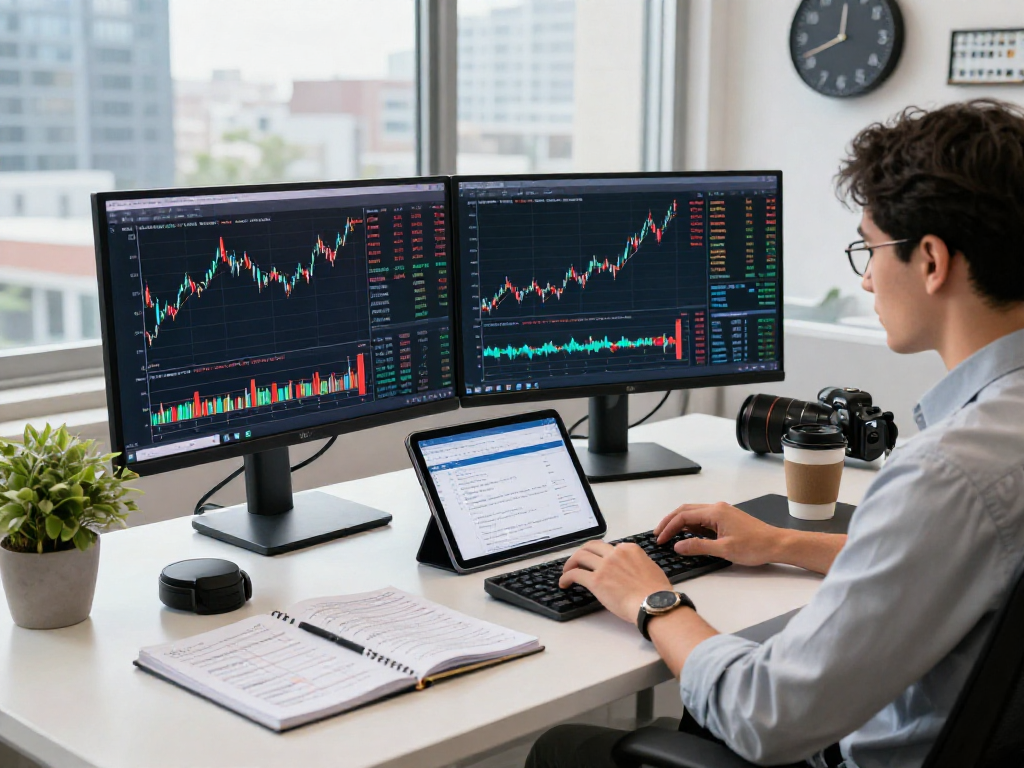
TradingView is a comprehensive online platform designed for traders and investors to analyze financial markets such as stocks, forex, cryptocurrencies, and more. With its user-friendly interface, it offers an array of features:
- Advanced Charting Tools: Users can create and customize interactive charts with various indicators and overlays.
- Social Networking: Traders can share ideas and strategies through a community of like-minded individuals.
- Market Data: Real-time data is provided for various asset classes, ensuring that users receive up-to-date information.
- Screeners: Users can filter assets based on specific criteria, making it easier to find trading opportunities.
- Pine Script: A unique scripting language that allows users to create custom indicators and strategies.
How TradingView Revolutionizes Market Analysis
The platform revolutionizes how traders conduct market analysis by combining multiple functionalities into one cohesive tool. Traditional platforms often scatter these tools across various applications, leading to inefficiencies. In contrast, TradingView’s integration of charting, studies, alerts, and backtesting allows for a seamless workflow. This means traders no longer need to juggle between different software to access essential features, which enhances productivity and decision-making.
The Benefits of Using TradingView for Different Markets
TradingView is not confined to one specific market; instead, it offers versatile features that cater to various trading styles and asset classes:
- Stocks: Ideal for day traders and long-term investors, with access to U.S., Hong Kong, and European markets.
- Forex: Tracks major currency pairs and allows users to analyze economic events that affect currency movements.
- Cryptocurrencies: Provides tools for monitoring mainstream coins and altcoins, perfect for cryptocurrency enthusiasts.
- Derivatives: Users can explore futures and options with specialized charting and analysis tools.
Setting Up Your TradingView Account for Maximum Efficiency
Step-by-Step Registration Process
Getting started with TradingView is straightforward. Follow these steps to create your account:
- Visit the TradingView website.
- Click on the "Join for Free" button.
- Choose a registration method (email, Google, or Facebook).
- Fill out the required information and confirm your email address.
- Log into your account and begin customizing your dashboard.
Customizing Your TradingView Dashboard
Once your account is set up, customizing your dashboard is crucial for optimal efficiency. Users can choose which tools to display, arrange widgets, and set preferred chart layouts. This personalization ensures that you can access the most relevant information quickly.
Essential Tools and Features for Beginners
Beginners should focus on a few essential tools to get the most out of TradingView:
- Price Alerts: Set alerts based on price movements to stay ahead of market trends without constantly monitoring the charts.
- Charting Tools: Familiarize yourself with drawing tools, trend lines, and indicators like moving averages to enhance analysis.
- Community Ideas: Explore shared trading ideas and analyses from other users to learn and gain insights.
Developing Effective Trading Strategies with TradingView
Utilizing TradingView’s Pine Script for Custom Strategies
Pine Script is a powerful feature of TradingView that allows traders to create custom indicators and strategies. By using this tool, you can automate setups that work best for your trading style. Beginners should start with simple scripts and gradually build complexity as they gain confidence.
Backtesting Strategies Using TradingView’s Tools
Backtesting is a critical aspect of developing a successful trading strategy. With TradingView’s Strategy Tester, users can run historical data simulations to see how their strategies would have performed over time. This feature allows traders to refine their approaches before committing real capital.
Anatomy of a Successful Trading Strategy
To create a successful trading strategy, consider the following elements:
- Risk Management: Determine how much capital you are willing to risk on each trade.
- Entry and Exit Rules: Define clear criteria for entering and exiting trades based on technical indicators.
- Emotion Control: Stick to your strategy regardless of market emotions and fluctuations.
Advanced Trading Techniques on TradingView
Integrating Technical Analysis into Your Trading Routine
Technical analysis is a vital skill for traders. By understanding price patterns, trend lines, and key indicators, traders can make informed decisions. TradingView provides an extensive library of built-in indicators that can be added to charts, allowing for in-depth analysis.
Using Alerts and Notifications to Stay Ahead
One of the standout features of TradingView is its customizable alerts. Users can set alerts for specific price levels, indicator thresholds, or even macroeconomic events. This ensures that you remain informed even when you are not actively monitoring the market.
Working with Multiple Timeframes for Enhanced Insights
Analyzing multiple timeframes is a technique that can significantly enhance trading decisions. By looking at daily, weekly, and even monthly charts, traders can gain a more comprehensive perspective on market trends, which aids in making more informed trading decisions.
Frequently Asked Questions about TradingView
Is TradingView Free to Use?
Yes, TradingView offers a free version that provides access to most essential features. However, premium plans are available for advanced functionalities, such as additional alerts and indicators.
What Makes TradingView Different from Other Platforms?
TradingView differentiates itself through its combination of advanced charting tools with social networking elements, allowing users to share insights and strategies easily. This creates a collaborative environment that is beneficial for all traders.
How Can I Improve My Trading with TradingView?
Improving your trading involves continuous learning and strategy refinement. Utilize TradingView’s vast resources, including community ideas, educational content, and backtesting tools, to enhance your trading skills effectively.